Category: Ergonomic Workspace Setup
Creating a workspace that supports your body is the first step in preventing the common aches associated with office work. Many people struggle with back discomfort not because of their age or fitness level, but because their workstation is working against their natural anatomy. Proper ergonomics is about making the furniture fit the person, rather than forcing the person to adapt to the furniture.
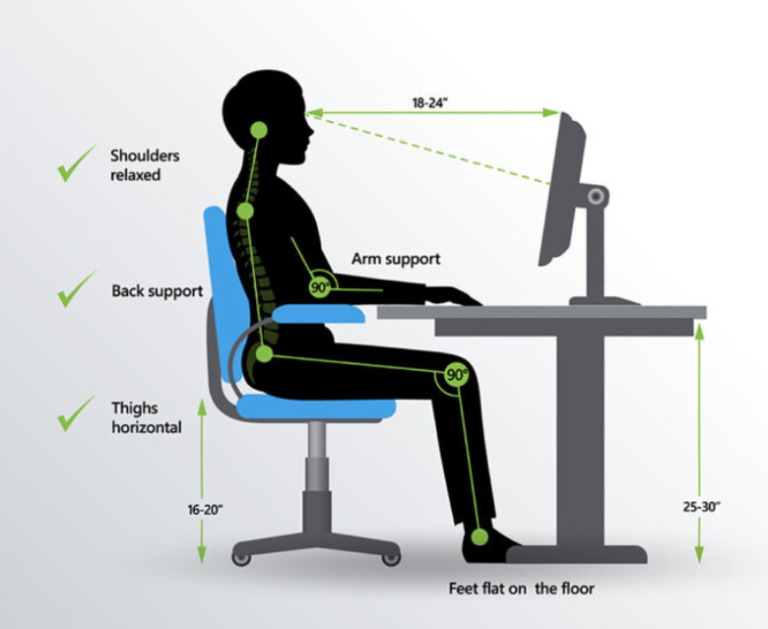
The “90-90-90” rule is a gold standard for office ergonomics. This means your elbows, hips, and knees should all ideally be bent at approximately a 90-degree angle. Your monitor should be positioned so that the top third of the screen is at eye level, which prevents you from tilting your head forward and straining your neck. Additionally, your keyboard and mouse should be at a height where your wrists remain neutral and flat. Small adjustments, such as using a footrest or a lumbar support cushion, can transform a standard setup into a personalized station that encourages a healthy, upright position all day long.